

TL;DR: A mood board built from Pinterest pins, magazine tears, or static images gets client approval on vibes alone. The problem shows up right after: none of those images connect to real, orderable products, so the designer has to re-source everything from scratch before procurement can start. Digital design boards solve this by linking every piece on the board to live vendor data, so an approved concept converts directly into a purchase order instead of disappearing into weeks of manual sourcing.
Key Takeaways
- Traditional mood boards are built from inspiration images, not sourceable products, which creates a gap between approval and procurement.
- That gap is the “mood board black hole”: the stretch of time between a client saying yes and a designer actually being able to order what was shown.
- Digital design boards close this gap by attaching vendor, price, and availability data to every item at the moment it’s added to the board.
- Rendering the selected pieces in the client’s actual room, instead of a loose collage, shortens the approval cycle and reduces revision rounds.
- When a board is built from real trade inventory, approval and specification become the same step instead of two separate ones.
What Is the Mood Board Black Hole?
The mood board black hole is the time and effort lost between a client approving a concept and a designer being able to actually order the products shown in it. It happens because most mood boards are built from images pulled off Pinterest, Instagram, or a supplier’s marketing photo, not from real inventory a designer can purchase. The client signs off on a look. Then the designer has to go find something that matches it closely enough, check if it’s still in stock, confirm pricing, and hope the lead time still works for the installation date.
That gap is invisible to the client and expensive for the designer. It’s where projects lose weeks, budgets drift from the original estimate, and “approved” starts to mean something closer to “approved in theory.”
Why Do Traditional Mood Boards Create This Problem?
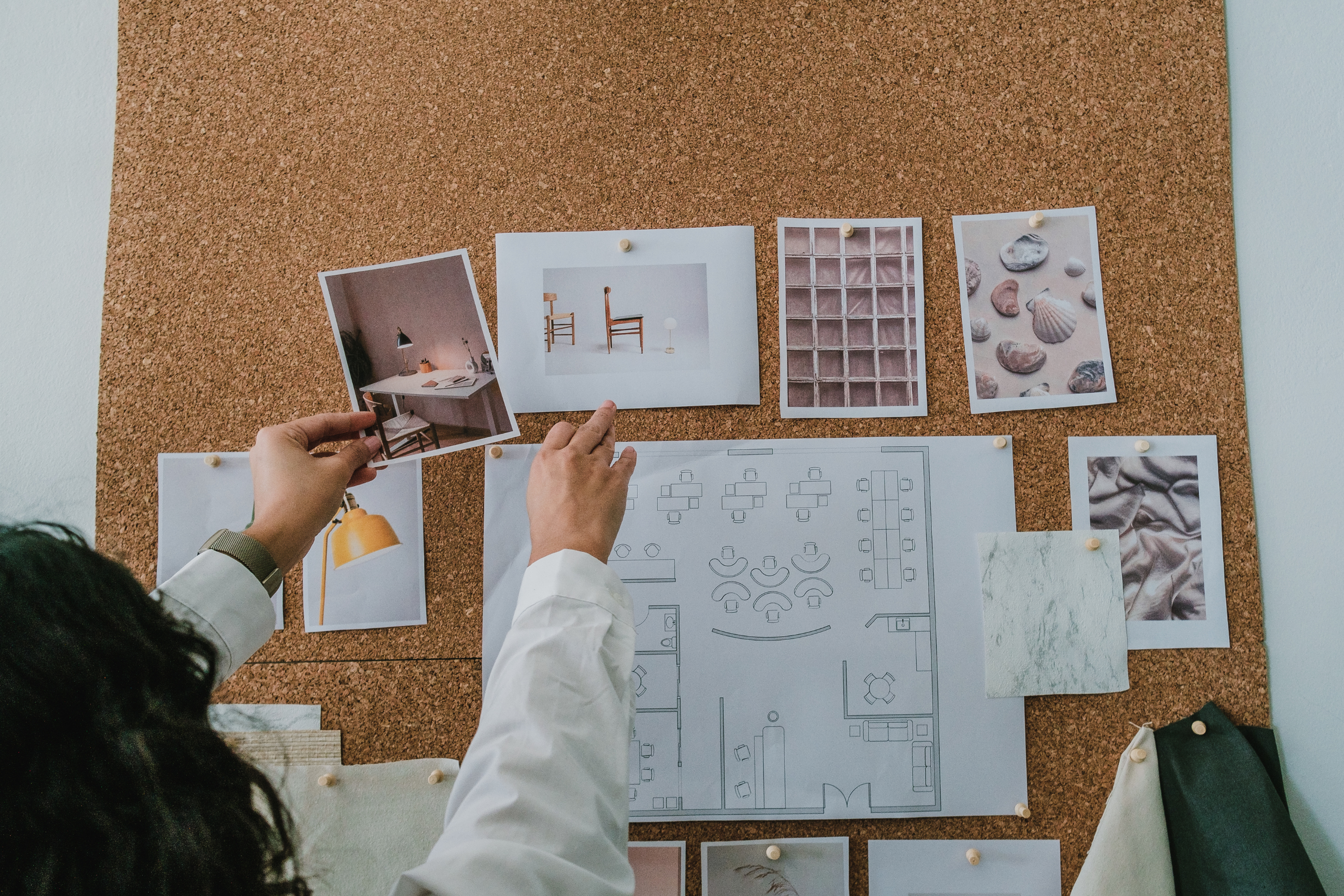
A traditional mood board, whether it’s a corkboard, a PDF, or a Pinterest board, is built for inspiration, not procurement. It answers “does this look good together?” but not “can I actually buy this, in this fabric, in this lead time, for this budget?”
Three things go wrong as a result:
The image and the product diverge. A photo of a sofa in a showroom or on a manufacturer’s site often isn’t the exact SKU, fabric, or finish available to order. The designer discovers this after the client has already fallen in love with the picture.
Sourcing starts over after approval. Instead of moving straight into ordering, the designer has to reverse-engineer the board: find the actual vendor, confirm the item is current, check price and availability, and often find a substitute when the original piece is discontinued or backordered.
Revisions compound. If a substituted piece changes the price or the look, the client has to re-approve, which restarts the sourcing check for whatever changes next. Each round adds days, sometimes weeks, to a project.
How Do Digital Design Boards Fix This?
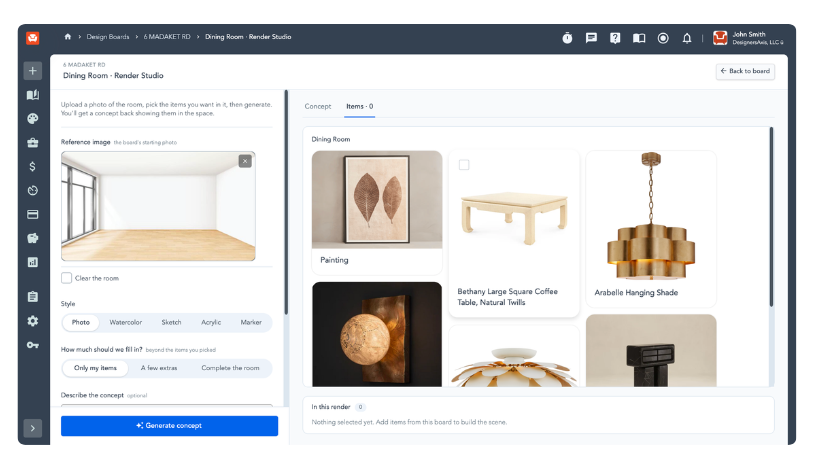
A digital design board is built directly from a searchable product catalog instead of loose inspiration images. When a designer adds a piece to the board, it comes with real vendor data attached: price, availability, sales code, and lead time, not just a picture pulled from the web.
This changes what “approval” means. Because every item on the board is already a real, purchasable product, an approved board isn’t just a green light on aesthetics. It’s a list of exact items, at their real prices, ready to convert into a purchase order or project specification without a second sourcing pass.
The practical effect is that the two steps that used to happen sequentially, design approval and product sourcing, collapse into one.
What Should a Digital Design Board Actually Include?
A design board that closes the black hole needs more than nice product photography. At minimum, it should include:
- Live vendor data on every item: price, SKU, and current availability, not a static screenshot
- The ability to add custom or one-off pieces, such as an antique or a client-owned item, alongside catalog products
- A visual arrangement or rendering that shows the pieces together in context, ideally in the client’s actual room, rather than a flat grid of product photos
- A direct path from approved board to project specification, so items convert into a spec or order without being manually re-entered
- Organization by concept, not just by project, so a designer can build multiple directional boards for the same room before landing on one
Does Showing the Room Instead of a Product List Actually Speed Up Approval?
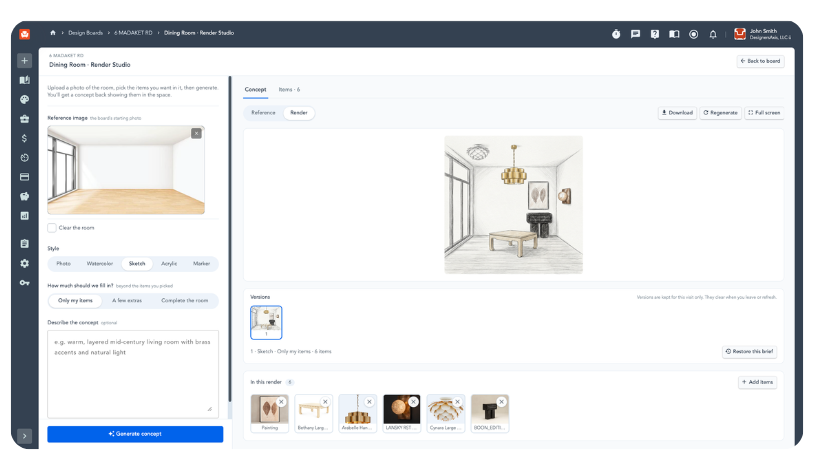
Yes. Clients don’t approve a spreadsheet or a flat collage of product tiles; they approve a room they can picture living in. A rendering that places the actual selected furniture, textiles, and finishes into the client’s real space gives them a concrete image to react to, instead of asking them to mentally assemble a dozen separate photos into one cohesive room.
This matters for revision cycles specifically. A client looking at scattered inspiration images is reacting to a vibe, and a vibe is easy to second-guess later. A client looking at their actual room, populated with the actual pieces at the actual scale, tends to give feedback that’s specific and final rather than vague and recurring.
How Is This Different from Just Using Pinterest or a PDF for Client Presentations?
Pinterest, Canva, and static PDFs are presentation tools. They’re built to organize and display images, not to carry product data. A Pinterest board can be beautiful and still contain five images of items that are discontinued, from vendors the designer doesn’t have access to, or priced well outside the project budget.
A digital design board tied to a live trade catalog is a sourcing tool that happens to also function as a presentation. The images on it are guaranteed to be real, current, purchasable products at the moment the client sees them, which is the difference between a board that looks finished and a board that actually is finished.
Where This Shows Up in Practice
Studio Designer’s Design Boards feature is one example of this approach in the trade software space. Boards are built by searching Catalog, Studio Designer’s database of 600,000+ trade products across 300+ brands, and adding items directly to the board with one click. Each piece carries real vendor data, price, and sales code with it. Designers can generate a photorealistic rendering of the selected pieces in the client’s actual room, and once a board is approved, any item on it converts into a project specification individually or in bulk, with the vendor and pricing already attached. The board a client signs off on and the spec a designer orders from end up being the same document, not two separate ones reconciled after the fact.
FAQ
What is a digital design board?
A digital design board is a client-facing concept presentation built from real, purchasable products pulled from a trade catalog, rather than from inspiration images with no connection to actual inventory.
Why do mood boards cause delays in interior design projects?
Most mood boards are built from inspiration photos that don’t map to specific, orderable products, the designer has to source matching items after the client has already approved a look, which adds a manual sourcing step and often triggers revisions.
What’s the difference between a mood board and a design board?
A mood board communicates a general aesthetic direction using inspiration images. A design board (as used in the trade-focused sense) is built from specific products with attached vendor data, so the board itself functions as the beginning of the project specification.
Can a digital design board include items that aren’t in a catalog?
Yes. Most digital design board tools allow a designer to add a one-off or custom item, such as an antique, a client-owned piece, or something sourced outside the standard catalog, alongside catalog products.
Does using a digital design board replace the need for renderings?
The two work together. The board organizes the selected products; a rendering shows how those specific products look assembled in the client’s actual room, which is what typically drives faster approval.
Studio Designer is the leading digital platform for interior designers managing and growing their design businesses, featuring fully integrated project management, time billing, product sourcing, and accounting solutions.
Want to learn how Studio Designer can work for your design firm? Schedule a call with our team: https://www.studiodesigner.com/get-a-demo/
We can’t wait to connect.