


TL;DR Studio Designer’s AI rendering tool offers five styles: Photorealistic, Photorealistic Moody, Acrylic, Watercolor, and Colored Pencil. Each one serves a different moment in the client relationship, from early concept sketches that invite feedback to final photorealistic presentations that close a sale. Every render pulls directly from your design board and links back to Studio Designer’s catalog of 600,000+ trade products, so the visualization you show a client is already tied to real, orderable items.
Key Takeaways
- Studio Designer has five AI rendering styles: Photorealistic, Photorealistic Moody, Acrylic, Watercolor, and Colored Pencil
- Every item referenced in a render is linked to Studio Designer’s catalog, so renders move straight into proposals and orders
- Choosing the right style depends on the project stage and the client, not just personal preference
- As a quick reference: use Watercolor or Colored Pencil for early concept work, Acrylic for design-forward or portfolio pitches, Photorealistic for final sign-off and real estate listings, and Photorealistic Moody for luxury or lifestyle-driven presentations
What is AI rendering in Studio Designer?
AI rendering in Studio Designer turns a design board into a visual of the finished room before a single item is ordered. A designer uploads a photo of the room, either empty or with existing furniture removed, then writes a prompt describing the style and contents. Studio Designer generates the visualization in seconds, and because the render draws from a design board built with catalog products, each item in the image is already linked back to pricing, availability, and a project item ready for procurement.
This replaces the traditional approach of showing a client a mood board and asking them to imagine the finished space. Instead, the client sees the room rendered in a specific style, with the actual sofa, rug, or dining table they’ve been quoted for.
What rendering styles does Studio Designer offer?
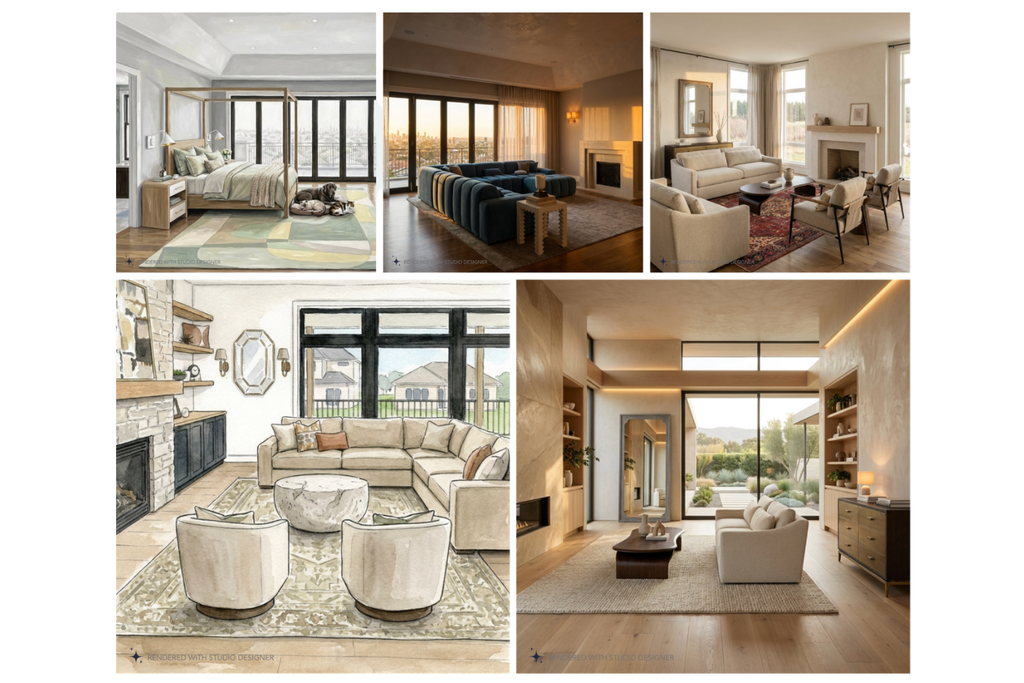
Studio Designer currently supports five distinct rendering styles, each suited to a different stage of a project or type of client conversation.
Photorealistic
Photorealistic is the most accurate representation of a design, with true-to-life materials, natural light, and precise proportions. It’s built for moments when accuracy and confidence matter most: final client presentations, real estate listings, and renovation projects where the client needs to see exactly what they’re getting before committing.
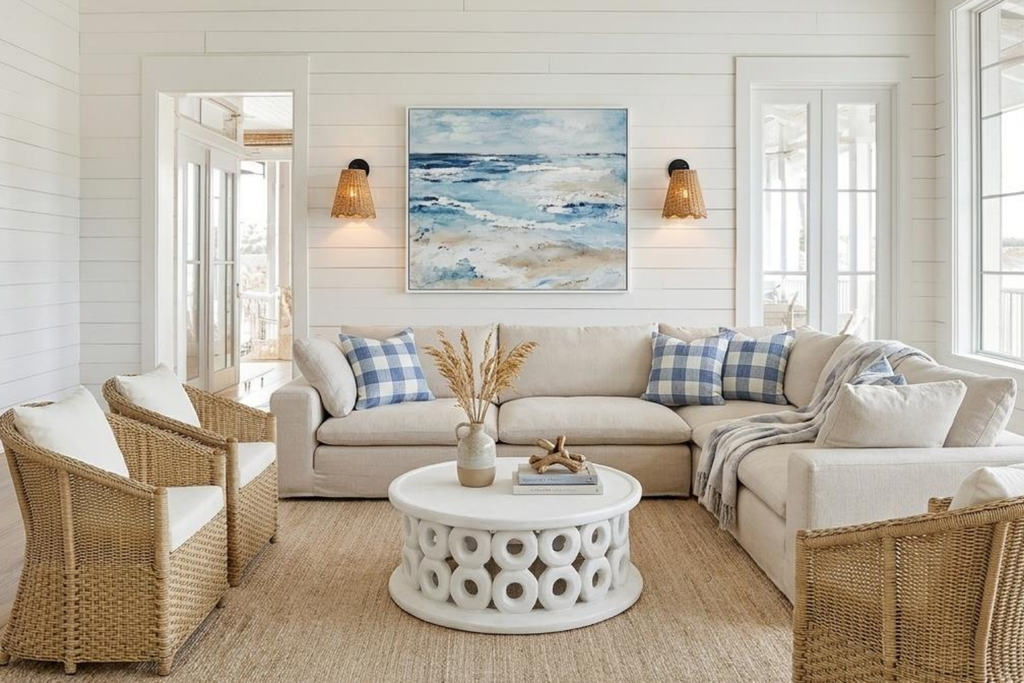
Photorealistic Moody
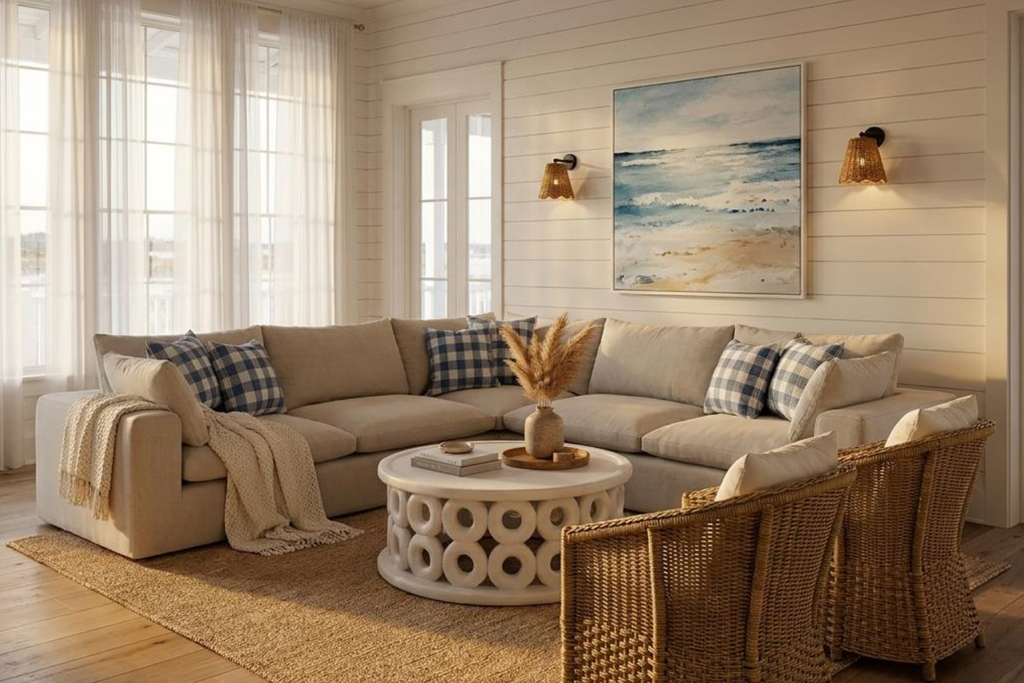
This is the same photorealistic fidelity, but with dramatic, evocative lighting such as golden hour warmth, candlelit ambiance, or the blue of dusk through tall windows. It’s suited to luxury residential work, hospitality design, and emotional pitches where the goal is to sell a lifestyle in additional to a room layout.
Acrylic
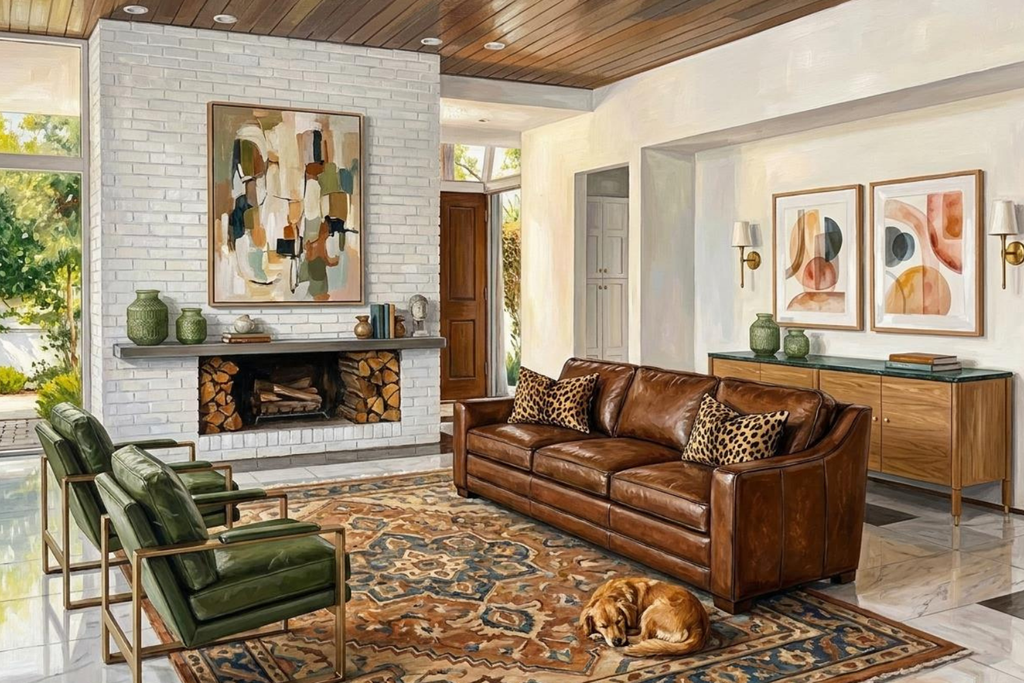
Acrylic style delivers rich, layered color with visible brushwork, giving the design a handcrafted, painterly quality. It signals creative confidence rather than technical precision, which makes it a strong fit for design-forward clients, concept presentations, and portfolio imagery where the designer’s point of view is part of the pitch.
Watercolor
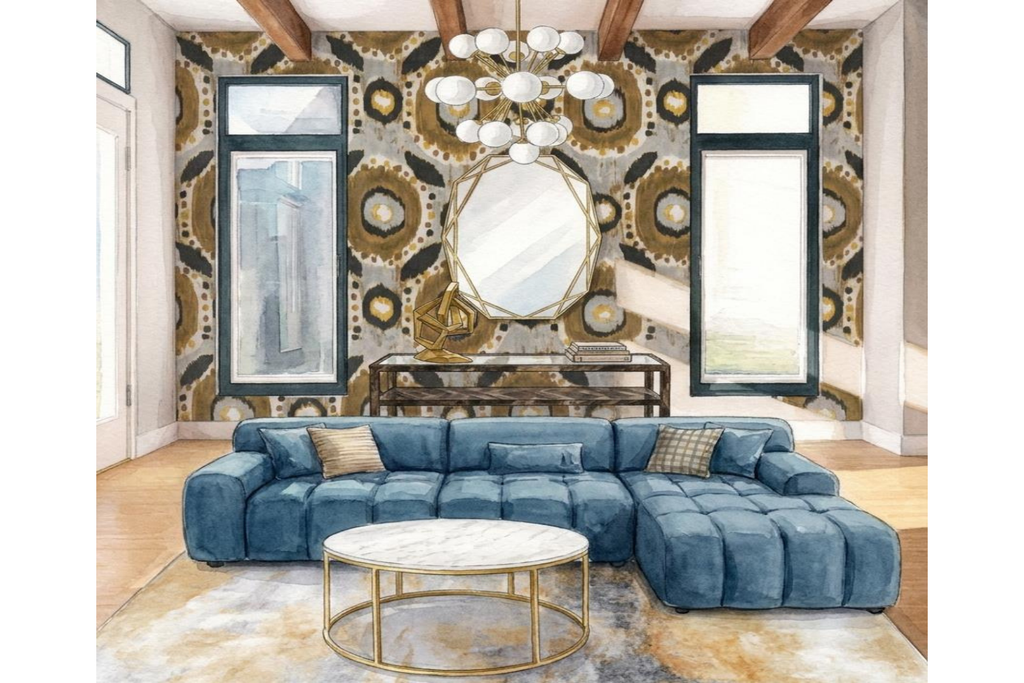
Watercolor produces delicate washes of color with a hand-drawn softness. Because it reads as less final than a photorealistic render, it invites conversation rather than a yes-or-no decision, which makes it well suited to early concept stages, open-plan spaces still being worked out, and clients who respond better to possibility than to a finished-looking image.
Colored Pencil
Colored Pencil combines the cleanliness of a hand-drawn illustration with enough precision to communicate scale. It works well for architectural presentations, real estate staging, and process-oriented clients who want to see the thinking behind a space, not just the end result.

How do I choose the right style for a project?
The choice comes down to two questions: what stage is the project at, and what does the client need to feel confident moving forward?
- Early concept, undecided client: Watercolor or Colored Pencil keep the presentation feeling exploratory
- Design-forward client who values craft: Acrylic signals a designed point of view rather than a technical output
- Final sign-off or real estate listing: Photorealistic removes ambiguity about what’s being delivered
- Luxury or lifestyle-driven pitch: Photorealistic Moody uses lighting to sell the feeling of the space, not just its contents
There’s no requirement to pick one style per project. For exmaple, designers move from Watercolor in early concept meetings to Photorealistic once selections are finalized, using the shift in style itself as a signal that the design has moved from idea to plan.
What’s the best way to start a rendering?
Always start from a blank room. A clean starting point gives the AI full creative control without conflicting furniture in the frame.
From there, write the core prompt first (style, furniture, layout), then layer in surfaces, lighting, and accessories. Reference board items by name rather than generic descriptions, since the AI already knows the specific dimensions, materials, and finishes of anything pulled from Studio Designer’s catalog.
Why does linking to the catalog matter?
A rendering on its own is a helpful visual. A rendering paired with the design board it came from is what actually closes a client, because every item in the image traces back to a real SKU with pricing and availability. Studio Designer’s catalog spans over 600,000 products from more than 250 trade-focused brands, and selections made for a render convert directly into project items, ready to move to a proposal and, eventually, an order, all without switching tools.
FAQ
How many rendering styles does Studio Designer offer? Five: Photorealistic, Photorealistic Moody, Acrylic, Watercolor, and Colored Pencil.
Can I change styles on the same room later in a project? Yes. Many designers start with Watercolor or Colored Pencil during concept development and move to Photorealistic once selections are finalized.
Do rendered items connect to real products I can order? Yes. Any item referenced from a Studio Designer design board is already linked to the catalog, so it can move directly into a project and a purchase order.
Which style is best for a real estate listing? Photorealistic, since it prioritizes true-to-life materials and precise proportions over mood or atmosphere.
Studio Designer is the leading digital platform for interior designers managing and growing their design businesses, featuring fully integrated project management, time billing, product sourcing, and accounting solutions.
Want to learn how Studio Designer can work for your design firm? Schedule a call with our team: https://www.studiodesigner.com/get-a-demo/
We can’t wait to connect.