
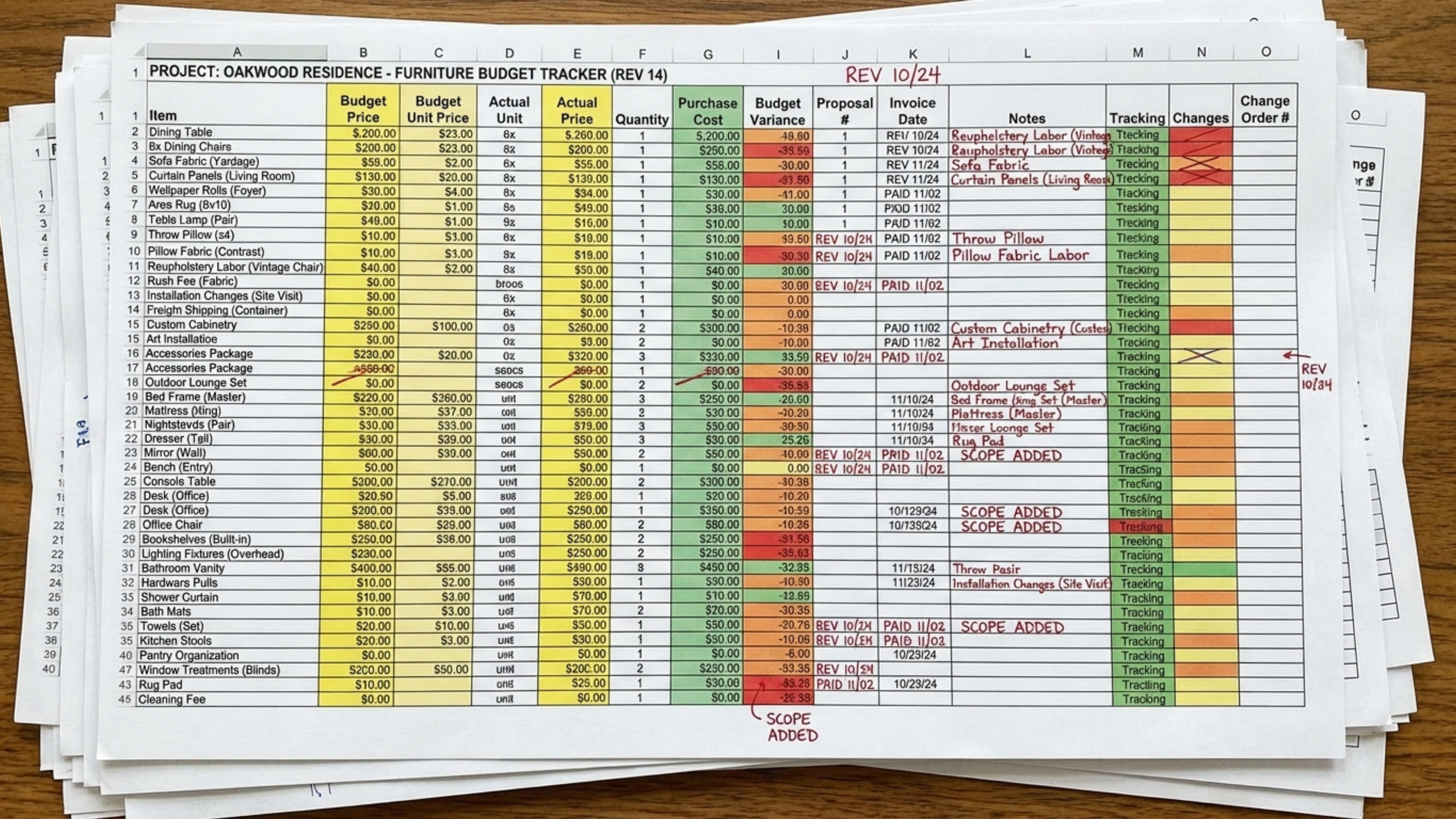
If you’re still using spreadsheets to manage interior design project budgets, you’re not alone. But they may be creating more work for you than you realize.
Many designers rely on Excel or Google Sheets because they are familiar and flexible, or because their current platform doesn’t fully support budgeting. Others are juggling email, spreadsheets, and PDFs just to keep a project financially organized.
The result? Duplicate data, constant updates, and budgets that are always one step behind reality.
Welcome to A Day in the Life of a Designer, a series that explores real challenges design firms face and how to solve them with practical, sustainable strategies. I’m Robert Stone, Director of Designer Experience at Studio Designer, where I help bridge the gap between design workflows and the tools that support them.
Working closely with design teams has made it clear that budgeting breaks down when it lives outside your core project management tool, and works best when it is built into your workflow.
Studio Designer takes a different approach by building budgeting directly into the project itself. Below is how designers rethink budgeting when spreadsheets start getting in the way.
Why Spreadsheets Break Down Over Time
Spreadsheets don’t live where your project actually lives.
You estimate costs in a spreadsheet, then re-enter those same numbers when you start specifying real items. As changes inevitably happen, you’re updating multiple systems and hoping they stay in sync.
To compensate, designers relying on spreadsheets often end up working across separate tools for budgeting, specifications, and purchasing. As information spreads across platforms, budgets become harder to trust and more time-consuming to maintain.
The result is manual tracking that increases the risk of errors, obscures scope creep, drives up time and labor costs, and turns budgeting into ongoing maintenance instead of a decision-making tool.
Budgeting Inside the Project
How Budgeting Works in Studio Designer
In Studio Designer, budgeting is built directly into the individual pieces that make up a project. Each piece, whether it is a fully specified product like a sofa or light fixture, or an early placeholder for something still to be selected, includes fields for budgeted and actual costs.
This means budgets are created inside the project itself, alongside specifications, pricing, purchasing, and reporting. There is no separate spreadsheet to manage and estimates and actuals stay connected from the start.
1. Create Placeholder Items to Establish the Budget
At the beginning of a project, designers create placeholder items to represent planned pieces before final selections are made. These items capture pricing intent without requiring full details upfront.
At this stage, you:
- Create a simple item for each planned piece
- Enter an estimated budget price
- Leave vendor and pricing details blank until later
2. Run a Project Budget Report (Without Needing Spreadsheet Formulas!)
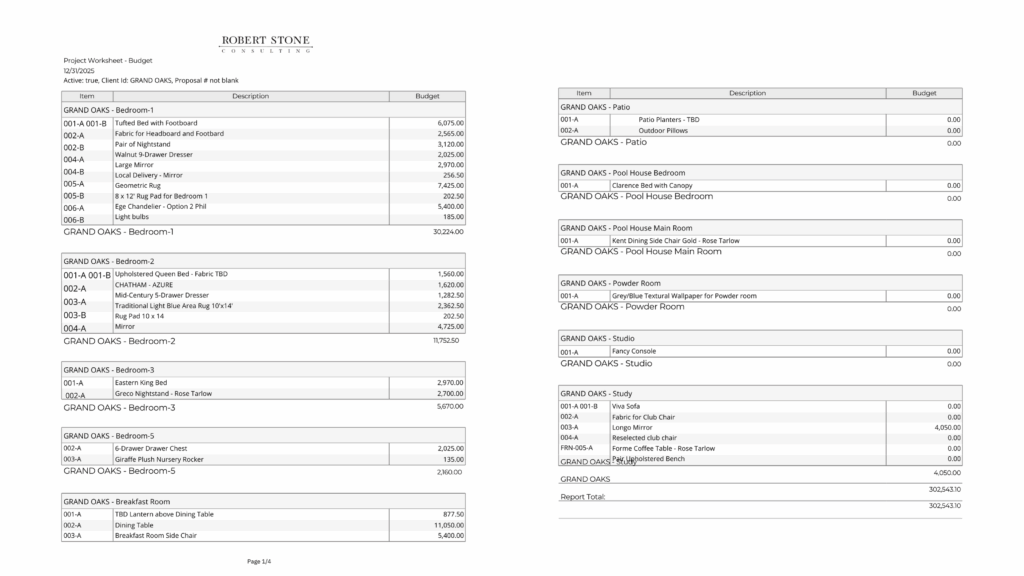
Once placeholder items are in place, designers can view the full project budget by running a Project Budget Report.
The system automatically aggregates budgeted amounts across all items, showing how funds will be allocated and where the total project budget stands. There are no formulas to maintain, and no manual cross-checking required.
The result is a clear, up-to-date budget snapshot that is easy to review internally or share with clients.
3. Update Items as Selections Are Made Without Losing the Budget
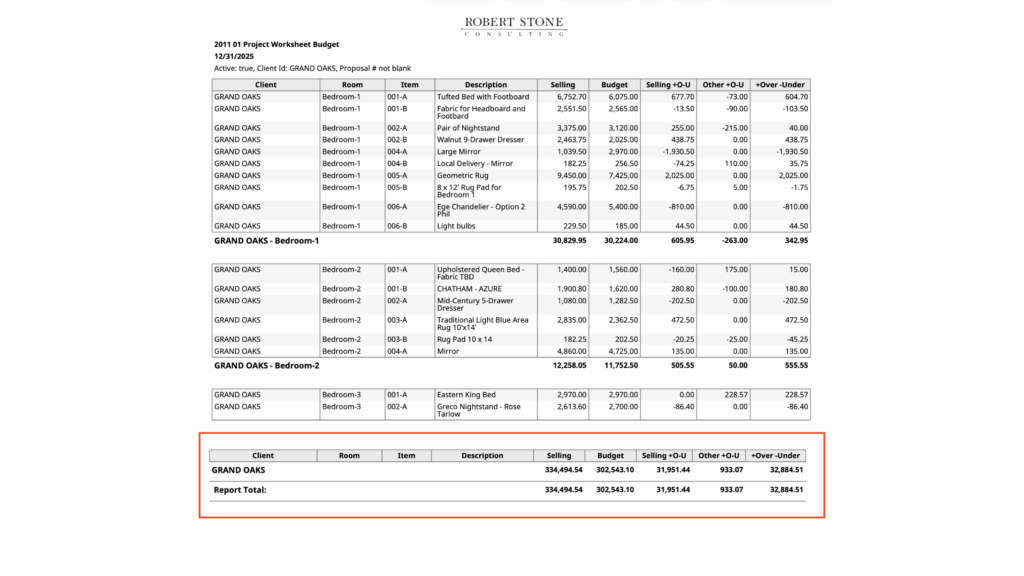
As the project progresses and products are selected, designers update the same items they originally used for budgeting.
Estimated numbers are replaced with real pricing; descriptions become more detailed, and purchasing information is added without recreating the budget or starting over.
Because the original budget remains part of each item, designers can track variance over time and see how selections compare to initial expectations as the project evolves.
Budgeting Without the Double Work
Designers using spreadsheets often juggle budgeting, specifications, purchasing, and tracking across separate tools. While may spreadsheets feel familiar, they are inherently disconnected, turning budgeting into extra work layered on top of the project.
Studio Designer brings budgeting, specifications, and purchasing into one system, so updates happen in real time as projects change. Estimates, selections, and purchasing data stay connected, keeping budgets current without extra effort.
Designers gain flexibility with far less friction by being able to:
- Budget using placeholder items
- Keep estimates and actuals together
- Track variance automatically as projects evolve
If you’re ready to move beyond spreadsheets, the next step is choosing how you want to budget inside Studio Designer, whether by item, by room, or at the project level.
When budgeting tools adapt to the way designers actually work, they support clearer conversations, better visibility, and more confident decision-making throughout a project.
Studio Designer is the leading digital platform for interior designers managing and growing their design businesses, featuring fully integrated project management, time billing, product sourcing, and accounting solutions.
Want to learn how Studio Designer can work for your design firm? Schedule a call with our team: https://www.studiodesigner.com/get-a-demo/
We can’t wait to connect.