


More Flexible Time Tracking, Smarter Product Discovery, and a More Reliable Platform
Studio Designer exists to help design firms run their business as smoothly as they run their projects, and this release puts that mission front and center. June’s update brings a first look at mobile time tracking, a stronger Catalog experience, and a wave of refinements across payments, finance, and reporting. Here’s what’s new.
Time Tracking, On the Move
Design work doesn’t stay at a desk, and now neither does Studio Designer. This summer marks the start of a mobile experience built for teams who need to clock in from a job site, log hours between client visits, and stay connected to their projects without being tied to an office. Studio Payroll customers get guaranteed early access as a thank you for running payroll with Studio Designer, and everyone else can join a waitlist for limited early access spots ahead of a fuller release later in the summer.
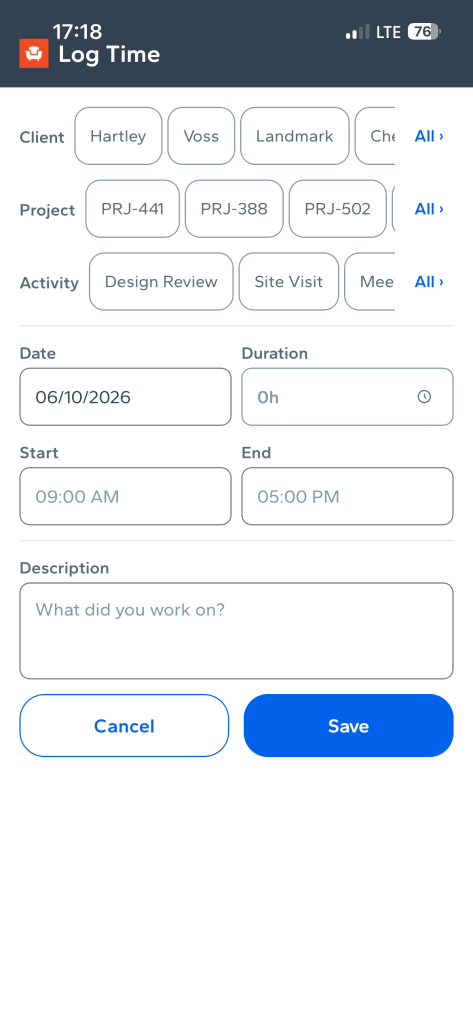
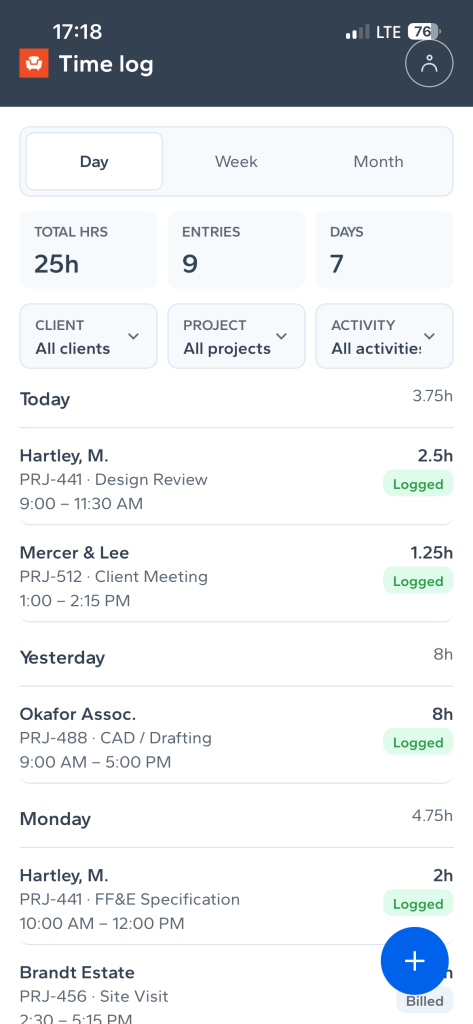
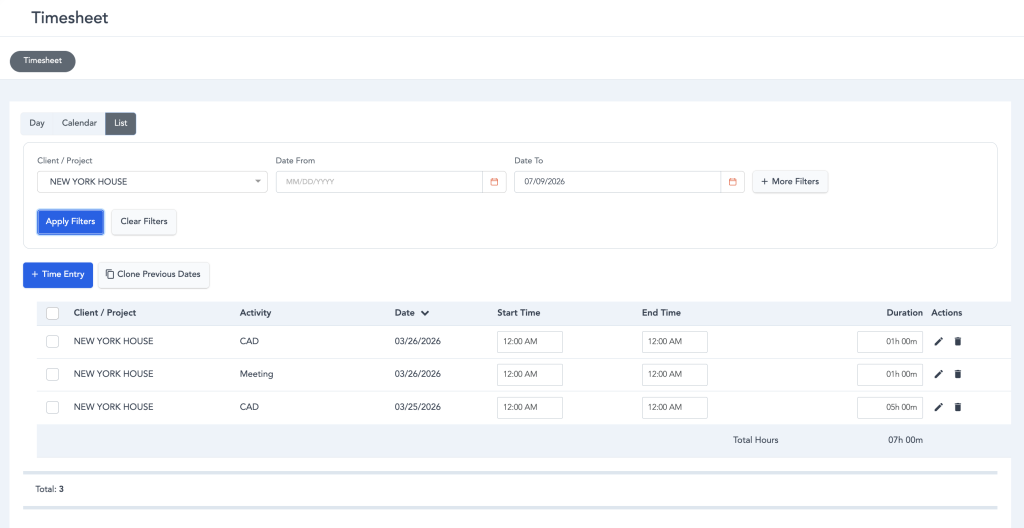
Alongside the mobile rollout, the Timesheet experience got meaningfully more flexible. Payroll employees can now add entries, edit a single entry inline, toggle between an end time or a duration, and clone existing entries instead of rebuilding them from scratch. Bulk actions make it easier to create, edit, or delete multiple time entries at once, and clearer filters bring more visual consistency to the list. Once an entry is invoiced or paid, it now appears locked, so it’s immediately clear when a record has moved past the point of standard edits.
Catalog & Design Boards
The Catalog keeps growing, now topping 370,000 SKUs across 200 brands with new additions like Arhaus, Made Goods, Hinkley, and Troy Lighting. Finding the right product got easier too: AI Search now covers more than 150,000 items, so a well-written prompt can surface exactly what a designer has in mind. Product specifications also got a real upgrade. Designers can view detailed spec data at the item level in a clean, structured format, and that data now flows straight into item reports, keeping everything consistent from board to schedule. Designers can also swap the image on any product, regardless of who owns the underlying spec, giving full control over how a board looks and how margins stay protected.
On the boards themselves, designers can now pull a product straight from an external link using the new From URL tab. Paste a link, and Studio Designer brings the product details directly into the board, no manual re-entry required.
Payments
Flat fee billing just got more flexible. StudioPay links can now be generated on custom flat fee invoices, so clients can pay directly from the invoice no matter how a firm structures its fees. The Payment Status dashboard also got a quiet but useful fix: Document Total, Processing Fee, Fee Pass-Through, and Net Amount values now export as proper number types in .xlsx, making downstream reporting far less fussy.
Finance & Reliability
This release also cleared out a long list of smaller friction points. Payment links in downloaded PDFs now open reliably, the Unit Cost Calculator no longer overrides Copy Purchase settings, and Chart of Account deletions now show exactly which records are creating a dependency instead of leaving the user guessing. Catalog search is faster and more consistent, Payroll sync confirmations display correctly, and check printing now supports higher volumes for firms running larger payrolls.
Taken together, June’s release is about giving designers more control with less friction: time tracking that flexes to how the day actually runs, a Catalog that’s easier to search and trust, and a payments and finance layer that just works the way it should.
Studio Designer is the leading digital platform for interior designers managing and growing their design businesses, featuring fully integrated project management, time billing, product sourcing, and accounting solutions.
Want to learn how Studio Designer can work for your design firm? Schedule a call with our team: https://www.studiodesigner.com/get-a-demo/
We can’t wait to connect.