


Client presentations are one of the most important moments in the design process. They’re an opportunity to bring your vision to life, build client confidence, and gain the approvals needed to move a project forward.
But creating an effective presentation isn’t always easy. Clients may struggle to visualize how individual selections will come together in a finished space, request revisions after the meeting, or need additional time before making decisions. For designers, that can mean follow-up presentations, lengthy email chains, and delays between project approval and execution.
The most successful presentations do more than showcase beautiful design concepts. They help clients see the full picture, explore options confidently, and make decisions in the moment.
Give Clients the Wow Moment
A great presentation begins with the full picture. After all, people hire designers because they aren’t designers. They rely on their designer to help them visualize what’s possible.
Before walking a client through individual products, show them how the entire space comes together. The most effective presentations help clients see themselves in the space. Instead of focusing on a sofa or coffee table, show them a living room where they can imagine family movie nights, holiday gatherings, or quiet mornings with coffee.
When a design reflects a client’s lifestyle, it becomes much easier for them to connect with the vision. Maybe that means showing the family’s dog lounging on the rug, incorporating storage for a growing vinyl collection, or visualizing a breakfast nook where the kids do homework after school. The more personal the rendering feels, the easier it is for clients to connect with the design.
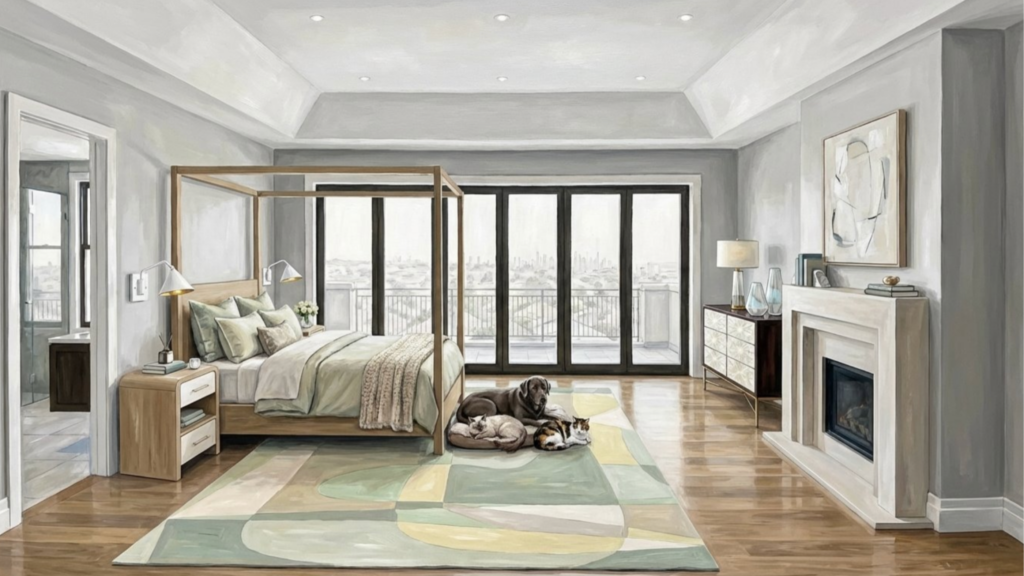
AI-generated renderings can be especially powerful because they bridge the gap between concept and reality. Clients can see how colors, materials, furnishings, and layouts work together before a single item is ordered.
Move from the Room to the Details
Once the client understands the overall vision, move into the products that support it.
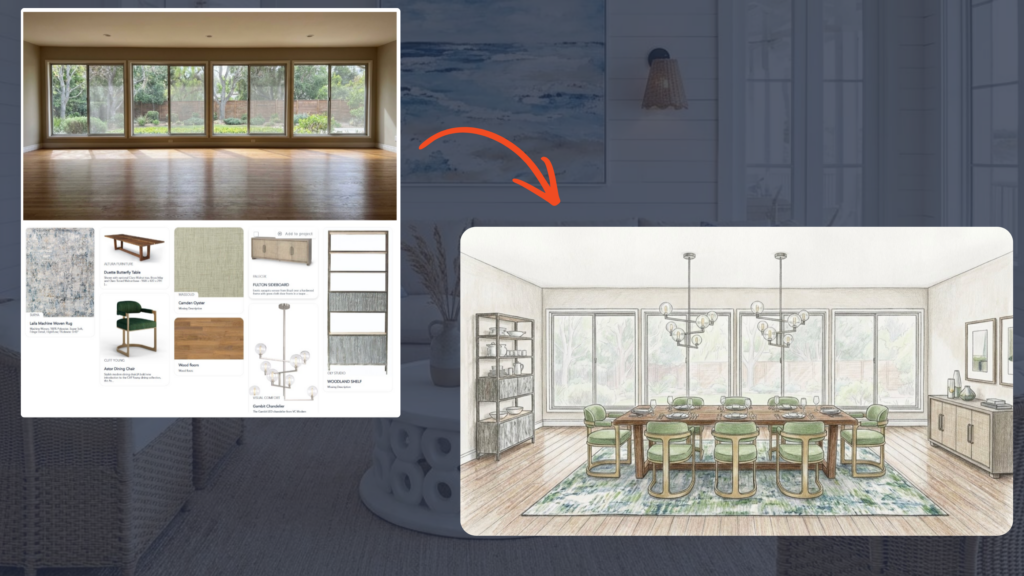
For example, after presenting the full living room rendering, you might zoom in on the seating area and walk through the sofa, coffee table, rug, and lighting selections. Explain why each piece was chosen, how it supports the room’s function, and how it contributes to the overall design.
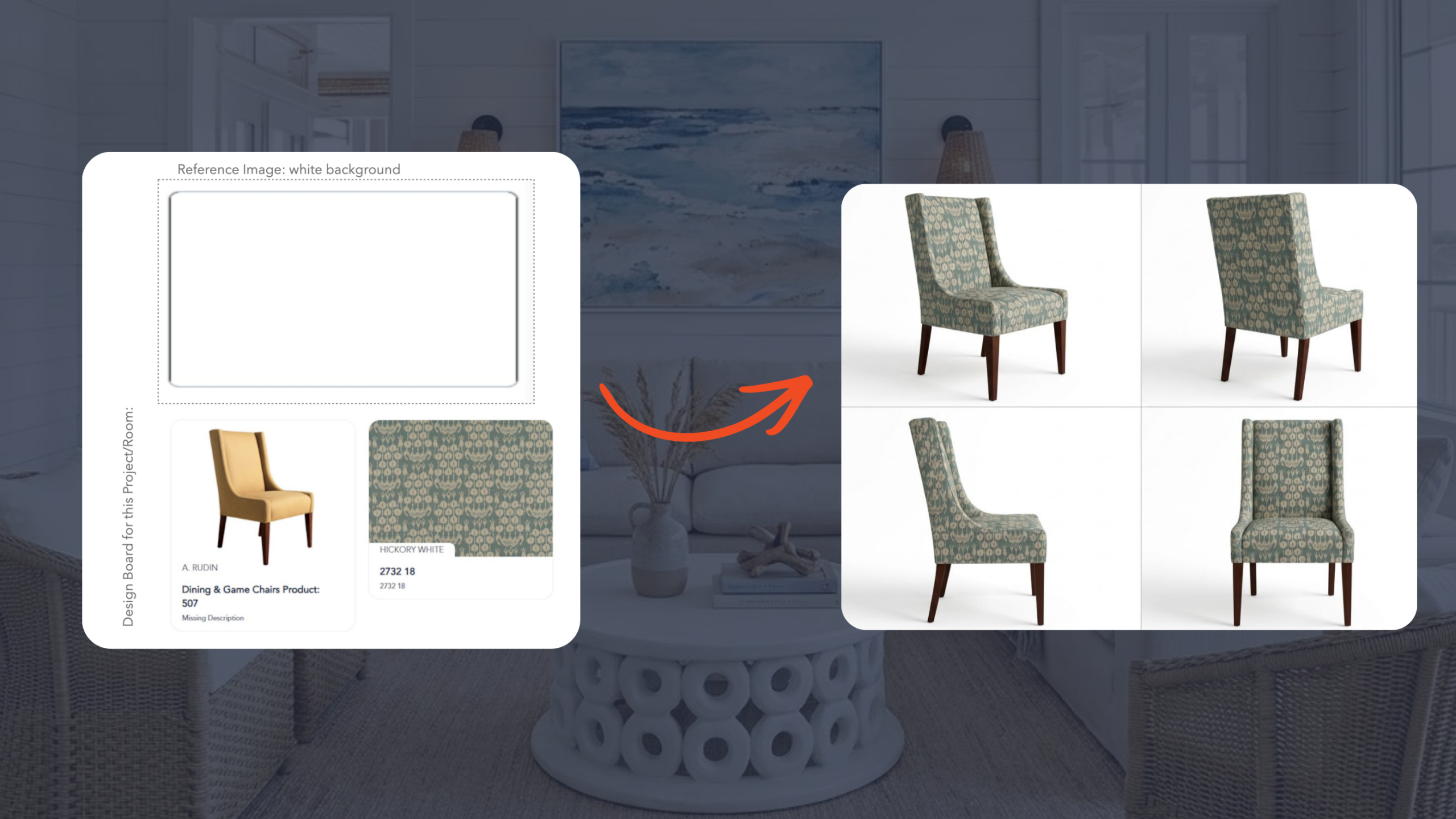
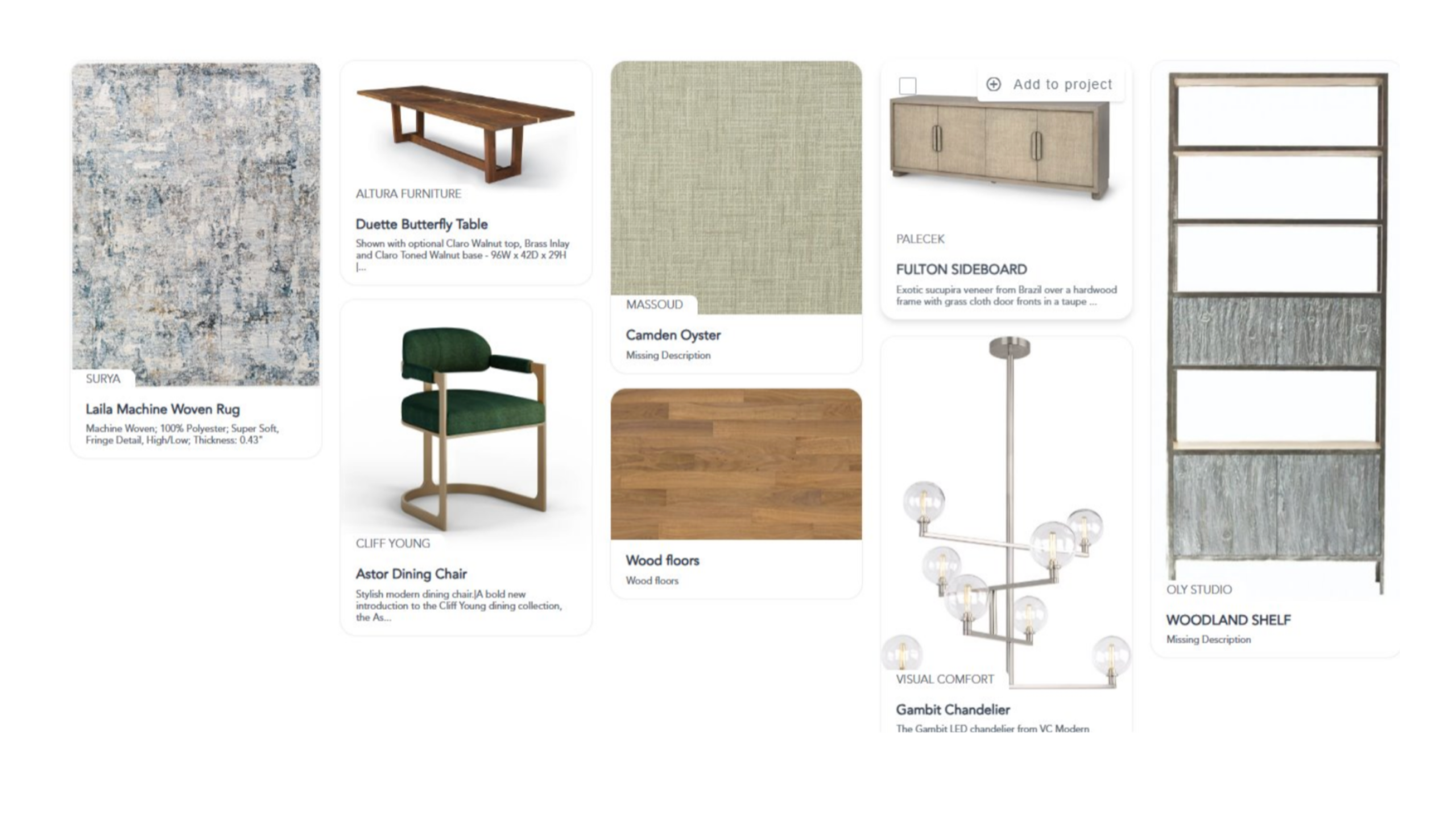
A common presentation challenge is helping clients move from “I love this room” to “I’m ready to choose these products.” Studio Designer’s Catalog helps bridge that gap by connecting visual concepts directly to the products featured in the design. Instead of jumping between renderings, spreadsheets, and pricing documents, designers can easily review the furnishings, lighting, and accessories that bring the space to life, helping clients make decisions with confidence.
Present Multiple Design Directions
Clients often want flexibility, but they need enough visual context to make meaningful choices.
A strong presentation may include three complete design options at different investment levels:
- Lower tier
- Middle tier
- Higher tier
Each option should be presented as a fully realized design, complete with its own rendering, furnishings, lighting, and accessories. Rather than asking clients to compare individual products, you’re showing them how an entire room could come together at each price point.
Make It Easy to Mix and Match
Clients rarely choose one presentation exactly as shown.
A client may love the custom sofa featured in the premium presentation but prefer the lighting package from the middle-tier option. Another may want the higher-end dining table while selecting accent pieces from the lower-tier design.
One of the biggest challenges during a presentation is managing client feedback without creating additional work. A client may love the sofa from one design option, the lighting from another, and want to see a different fabric altogether. Traditionally, that can mean digging through spreadsheets, searching for product information, and scheduling a follow-up presentation.
In Studio Designer, all products are organized and connected, making it easy to compare alternatives and help clients build a customized solution that reflects both their preferences and budget.
Studio Designer also makes it easier to keep momentum during the presentation itself. If a client wants to see how a different fabric, finish, or product would look in the space, designers can update renderings on the fly rather than scheduling another meeting.
Instead of tracking products across multiple presentations, spreadsheets, or PDFs, designers can guide decisions in real time while clients remain engaged in the process.
Turn Decisions into Action
Once clients begin selecting products from different presentation options, it can be easy for the final direction to get lost in the shuffle. A premium sofa from one concept, lighting from another, and accent pieces from a third can quickly turn into a messy trail of notes, spreadsheets, and follow-up emails.
Studio Designer helps bridge the gap between presentation and execution by keeping product selections, pricing, and vendor information connected throughout the process.
For example, a client may ultimately choose the premium sofa from one option, the lighting package from another, and accent pieces from a third. Rather than manually rebuilding those selections afterward, designers can quickly organize approved products and generate a proposal based on the client’s final choices.
When clients leave excited about a design, waiting days for a proposal can slow decision-making and create unnecessary follow-up. By turning approved selections into a proposal while the conversation is still fresh, designers can keep projects moving forward.
The Bottom Line
A great client presentation helps clients see, understand, and decide.
It starts with a compelling visual story, provides clear product information, offers meaningful design options, and creates space for collaboration. Most importantly, it gives clients the confidence to make decisions and move forward.
When presentations combine beautiful visuals with connected product information through Catalog, designers can spend less time managing revisions and more time delivering an exceptional client experience.
Studio Designer is the leading digital platform for interior designers managing and growing their design businesses, featuring fully integrated project management, time billing, product sourcing, and accounting solutions.
Want to learn how Studio Designer can work for your design firm? Schedule a call with our team: https://www.studiodesigner.com/get-a-demo/
We can’t wait to connect.